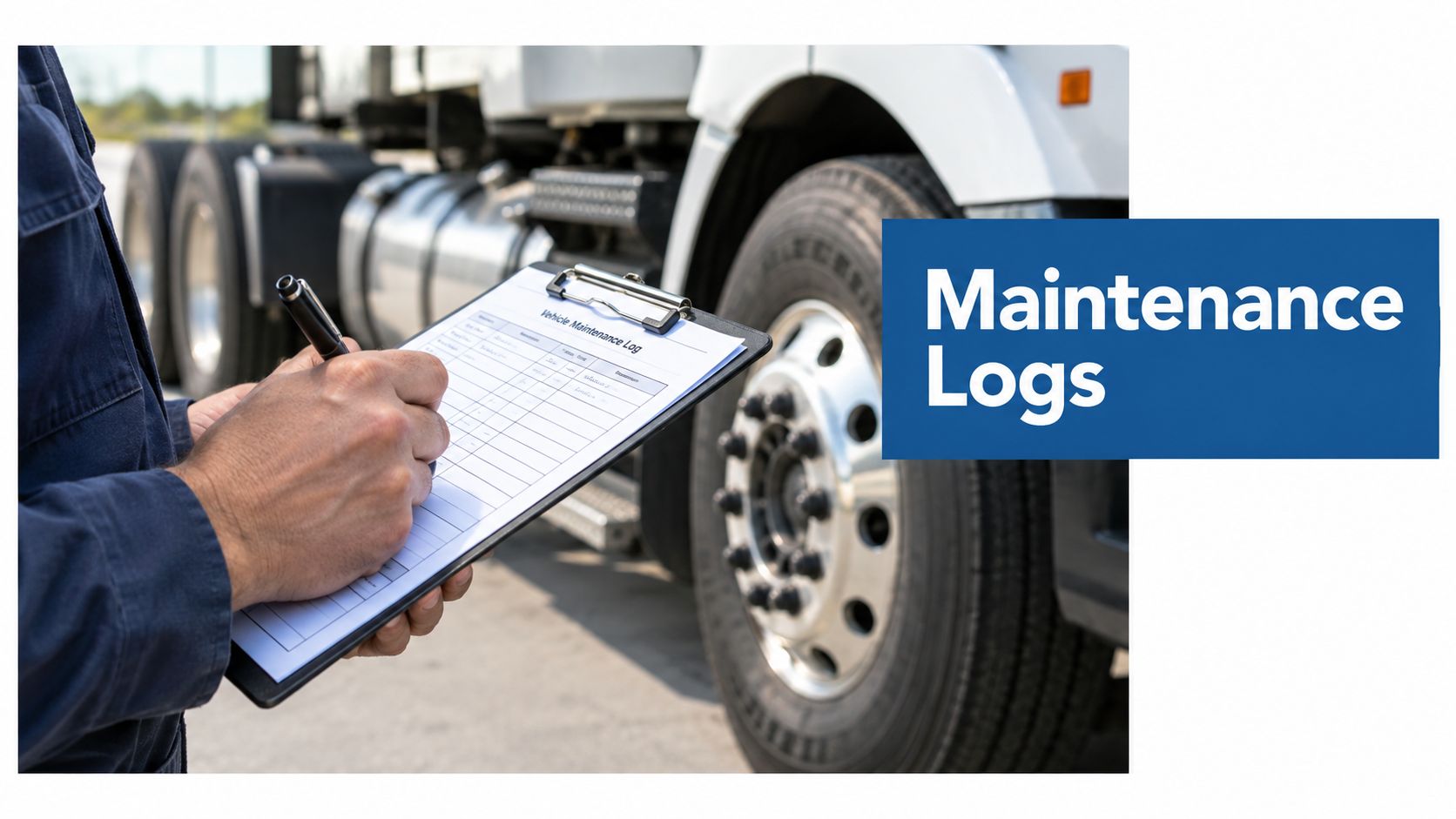
Maintenance logs for trucks start with one essential rule. If you control a commercial vehicle for 30 consecutive days or more, FMCSA requires you to keep a maintenance file for it, keep that record at your principal place of business or garaging location for 1 year while it's in service, and retain it for 6 months after it leaves your control.
Maintenance logs for trucks usually become a problem when you need them fast, not when you're filling them out. You're likely dealing with the same pressure most fleet owners and safety managers face: a truck is due for inspection, a roadside officer asks for supporting records, or an auditor wants to see whether a defect was fixed and closed out properly.
What goes wrong is rarely the absence of maintenance. It's the absence of a clean record trail. A brake repair gets done but the date isn't logged. A roadside report gets filed somewhere else. An odometer reading is skipped because the shop was busy. Then a simple question turns into a scramble.
That's the issue. Your maintenance file isn't just a history of repairs. It's the document trail that shows you inspect, schedule, correct, and retain records in a way that stands up during enforcement. If you want cleaner roadside inspections and fewer compliance headaches, your logging process has to match how trucks fail and how inspectors look at them.
Table of Contents
- The Reality of Maintenance Logs in Your Fleet
- Required Fields and Retention Rules You Must Follow
- Digital versus Paper Maintenance Workflows
- Structuring Logs for High-Risk Components
- Retention and Lifecycle Handling for Changing Vehicles
- Frequently Asked Questions About Truck Maintenance Logs
- How long do you have to keep truck maintenance logs?
- What must be in a truck maintenance file?
- Can maintenance logs be electronic?
- What's the biggest recordkeeping mistake fleets make?
- How long do you keep a roadside inspection report?
- How long do you keep an annual inspection report?
- Should you keep defect photos with the file?
- What if an outside vendor performs the repair?
- Key Takeaways and Next Steps for Compliance
- Regulatory References
The Reality of Maintenance Logs in Your Fleet
A roadside officer finds a brake violation on a truck that was serviced last week. The repair may have been done correctly, but if the file does not show what was inspected, what was repaired, and who returned the unit to service, that stop starts to look like a maintenance control problem instead of a one-off issue.

That is the part many fleets miss. Maintenance logs are not just shop history. They are the record trail that connects your repair work to the same defects enforcement officers keep finding at roadside inspections. If a truck shows up with tire, brake, lighting, or suspension issues, your file needs to show whether that pattern was caught early, written up clearly, and closed out the right way.
Poor files usually come from ordinary habits, not neglect. A vendor sends an invoice, but nobody adds the mileage. A driver reports a light issue, but the correction stays in a text thread. An annual inspection is completed, but the supporting paperwork sits in the shop office instead of the vehicle file. The work happened. The proof chain broke.
What an incomplete file looks like in real life
The weak spot is usually consistency, especially across roadside defects and shop follow-up.
- Repair without traceability: The shop completed the work, but the file does not show the complaint, repair date, or return-to-service documentation.
- Defect without resolution: A problem was reported during inspection or at roadside, but there is no clear closeout showing the correction.
- Scattered records: Work orders, inspection reports, vendor invoices, and driver write-ups live in different places, so no one can confirm the full history quickly.
If your team cannot pull a unit's maintenance story in a few minutes, the process is loose enough to create trouble during an audit or roadside review.
A good file helps in the shop and on the road. If a truck has repeated violations tied to brakes or tires, that should change how you schedule inspections and what documentation you expect back from vendors. Fleets that already use structured preventive maintenance from Forge Reliability still need a record format that ties each scheduled task to an actual result.
What actually keeps inspections cleaner
The fleets that stay out of trouble keep one record path for each unit. Defects go in one way. Repairs close out one way. Annual inspection support lives in one known location. That discipline matters because roadside enforcement does not judge maintenance by intent. It judges what the truck presents that day, and whether your records support the condition of the equipment.
It also helps to line up your files with the items officers commonly review during a roadside exam. A practical Level 1 DOT inspection preparation checklist can help your paperwork match the way trucks are inspected in the field.
Clean inspections usually come from plain habits. Same fields every time. Same closeout standard every time. No guessing about whether a defect was repaired or whether the truck should have gone back on the road.
Required Fields and Retention Rules You Must Follow
A trooper stops one of your trucks for a light issue, then notices a brake violation history on prior inspections. At that point, your maintenance file stops being office paperwork and starts serving as evidence. If the log shows what was found, when it was repaired, and when that truck was due back for inspection, you have something solid to stand on. If it does not, the same defect can look like a pattern you failed to control.
Under FMCSA Safety Planner guidance for 49 CFR Part 396, the file for each vehicle you control for 30 consecutive days or more must stay at the location where the vehicle is housed or maintained. The file also needs vehicle identification details, a record of the inspection and maintenance work required for that unit and when it is due, plus records of inspections, repairs, and maintenance already performed.

The fields you should never leave out
Every truck file needs enough detail to answer two common questions fast. What was this unit supposed to receive, and what happened? If you cannot answer both from one file, you will struggle during an audit and during any review tied to repeat roadside defects.
Use these core fields in every file:
| Record area | What you should capture |
|---|---|
| Vehicle identification | Company number, make, serial number, year, tire size, and owner name if you don't own the vehicle |
| Maintenance scheduling | The nature of required inspection and maintenance work, plus due dates |
| Service history | Inspections, repairs, and maintenance records |
| Annual support records | Evidence tied to periodic inspection and related documentation |
In practice, I would also require the service date, mileage, the defect found, the repair performed, and who closed the work. Those entries are what help separate a one-off repair from a repeat failure pattern. If a truck gets cited twice in a quarter for brake adjustment or tire condition, missing mileage or date entries make a maintenance event harder to defend, even if the work was done.
That link between logs and enforcement matters. Roadside history often exposes weak spots in the file structure first. A clean record is not just proof that maintenance happened. It helps show that the fleet responded to known failure areas instead of sending the same unit back out with loose follow-up.
Retention rules that trip people up
Retention sounds simple until a truck changes terminals, goes off lease, or sits waiting for sale. Files often get lost in that handoff.
The baseline rules are straightforward:
- In-service vehicles: Keep the records for 1 year while the vehicle remains under your control.
- After the vehicle leaves control: Retain the file for 6 months.
- Storage location matters: Keep the file at the place where the vehicle is housed or maintained.
The trade-off is administrative discipline. Keeping every record forever clutters the file and makes reviews slower. Purging too early creates exposure when a vehicle leaves service or changes hands internally. A written process fixes that. For broader document handling across departments, Snyp's complete retention policy guide is a practical reference. For a truck-specific checklist tied to compliance files, keep this internal guide on DOT record retention requirements with your procedures.
Digital versus Paper Maintenance Workflows
A driver gets stopped for a brake light issue, and the officer asks for proof that the same problem noted last week was repaired. That moment exposes the difference between a workable maintenance system and a file cabinet full of good intentions.
Paper logs can satisfy the rule. The problem is speed, consistency, and traceability once trucks move between drivers, shops, and terminals. If a defect shows up in a DVIR, then appears again at roadside, the record has to show who saw it, what was done, and when the unit was cleared. Fleets usually lose that chain on paper long before they fail it on policy.

Where paper still works
Paper fits some operations. A small fleet with one shop, one filing location, and a manager who reviews every repair order can keep clean records that way.
It also helps as a field backup. A printed inspection form in the cab still has value when a driver needs to document a defect and cell service is weak.
Where paper breaks down in practice
The failure point is not legality. It is control.
Once outside vendors, after-hours repairs, and recurring defects enter the picture, paper starts splitting the history into separate piles. One note stays with the technician, another goes into payroll or accounts payable, and a third gets stapled to a DVIR copy. During an audit or roadside follow-up, someone has to rebuild the sequence by hand.
That is where fleets get exposed to repeat-failure patterns. A truck with the same lighting, brake, or tire issue showing up more than once looks a lot worse when the shop cannot produce a clean timeline of inspection, repair, and return to service.
Common paper workflow problems include:
- Duplicate records across DVIRs, work orders, and office files
- Missing dates, mileage, or technician signoff
- Delayed filing after vendor repairs
- Poor visibility into repeat defects by unit or component
What digital workflows do better
Digital systems tighten the chain between the defect report, the repair event, and the vehicle history. That matters because roadside enforcement does not evaluate paperwork in isolation. Officers often see the current violation against the backdrop of the vehicle's condition, inspection history, and whether the carrier appears to be fixing known issues or just documenting them loosely.
A useful digital workflow keeps a few things tied together in one place:
- Vehicle-specific records that do not depend on one terminal or one desk
- Date, mileage, and service interval fields that stay consistent
- Attached invoices, inspection forms, and repair notes
- Status tracking for open defects versus cleared defects
- Searchable history so recurring component failures stand out early
Scanning handwritten forms into a folder is only a partial fix. The better setup uses structured fields, so the shop or safety team can sort by truck number, defect type, date, and overdue status in minutes.
If you are reviewing systems, this DOT compliance software for fleet record management shows how maintenance records can sit inside the broader compliance process. My Safety Manager fits that role when a fleet wants one place to track documentation, follow-up activity, and inspection readiness without relying on disconnected paper files.
Structuring Logs for High-Risk Components
A truck gets pulled into a roadside inspection at 10:15 a.m. The violation is a brake issue, but the inspection result is shaped by more than that one defect. If the officer sees a pattern of the same component failing with weak repair history behind it, the paperwork starts to look like proof that the fleet knew there was a problem and kept rolling anyway.
That is why high-risk components need their own structure inside the maintenance file. The goal is not to build a bigger record. The goal is to make the failure history easy to read, easy to audit, and hard to argue with when a brake, tire, or steering item gets scrutinized.

Build the file around roadside failure patterns
Start with the components that put trucks out of service most often in real inspections. In practice, that usually means brakes and tires first, then steering, lighting, and suspension.
A clean file lets you answer three questions fast:
- What failed
- When it was found
- What was done before the truck went back into service
If those answers are buried across DVIRs, work orders, and text messages from the shop, the file will not help much during an audit or after a bad inspection trend shows up.
Group records by component, not just by date
Chronological filing is fine for storage. It is weak for control. A better setup keeps a dated history but groups repeat issues under the component itself so patterns show up early.
For example, a brake section should hold:
- inspection notes
- measurements
- defect write-ups
- repair orders
- parts replaced
- technician signoff
- return-to-service confirmation
- next inspection trigger
A tire section should hold:
- tire position
- tread and condition notes
- irregular wear findings
- replacement history
- casing or valve issues
- alignment-related comments if they affect repeat wear
- recheck date
That structure matters in the world. A single tire replacement is routine. Three replacements on the same wheel position in six months points to an underlying issue that needs more than a new tire.
Use entries that show action, not just activity
Short entries are fine. Vague entries are not.
“Checked brakes” does not help. “Found leaking chamber on right rear drive axle, chamber replaced, airline inspected, unit road tested, cleared for service” helps.
Use a format like this for each high-risk defect:
| Log element | What to record |
|---|---|
| Defect source | Pre-trip, post-trip, shop inspection, roadside inspection, or annual inspection |
| Component | Exact part or wheel position involved |
| Condition found | The actual defect, not a generic label |
| Safety status | Safe to operate, restricted pending repair, or out of service internally |
| Corrective action | Repair performed, parts replaced, and who completed the work |
| Verification | Who confirmed the repair and when the unit returned to service |
| Next due trigger | Mileage, date, or inspection interval for recheck |
That last line gets missed all the time. Closing the repair without setting the next check is how repeat brake and tire issues slip back into service unnoticed.
Brake records usually deserve the tightest control because they create the most exposure at roadside and after a crash review. Keep a semi-truck brake inspection checklist tied to the same file structure so the inspection language matches the repair language.
Flag repeat failures at the unit level
The file should also show repeat defects by truck, trailer, axle, or wheel position. That is where maintenance logs start doing more than satisfying a record rule.
If Unit 214 has two brake hose repairs and then fails a roadside brake inspection on the same axle group, that is no longer an isolated event. It is a pattern. Good logs make that visible soon enough to change the maintenance plan, pull the unit for a deeper inspection, or question whether the last repair fixed the root cause.
That is what keeps inspection scores cleaner. The best maintenance logs do not just prove work happened. They show whether the same safety-critical parts keep coming back.
Retention and Lifecycle Handling for Changing Vehicles
A clean maintenance file often falls apart the day a truck leaves regular service. The unit gets sold, parked for months, moved to another terminal, or returned at the end of a lease. Then a roadside inspection from six months earlier turns into a problem because nobody can quickly show what was repaired, what was still open, and when the vehicle left your control.
That matters for more than record retention. Enforcement patterns follow units with repeat defects, especially brakes, tires, lights, and suspension. If a truck changes hands inside your operation and the file gets split between dispatch, accounting, and an outside shop, repeat failures stop looking like a pattern and start looking like isolated events. That is how preventable violations stay hidden until the next inspection.
Build the file around status changes
Handle vehicle status changes as a controlled process. Do not leave them to memory or email threads.
When a truck is sold, reassigned, returned, or placed in long-term downtime, close the active file in a set order:
Change the unit status immediately
Mark it as sold, transferred, returned, parked, or retired on the date that status changed.Review open safety defects
Confirm whether defects were repaired before the unit left service or whether they remained unresolved at transfer. Keep that noted clearly in the file.Lock in the closing record set
Make sure the latest inspections, repair entries, invoices, and out-of-service notes are attached before the file is archived.Archive by unit number, VIN, and disposition date
You should be able to pull the file the same way an auditor or safety manager will look for it later.Keep your retained copy separate from any handoff packet
If records go to a buyer, lessor, or another branch, preserve your own copy as the official retained file.
One missed step causes trouble later. A truck can leave your yard clean, but if the closing file is missing the last brake repair or the unresolved tire issue, the record trail is weak when someone asks why that unit showed a repeat defect history at roadside.
Outsourced work is where gaps usually show up
Outside maintenance creates some of the worst file breaks I see. The shop did the work, accounting paid the invoice, and operations assumes the record is on file. Then the only document you can find is a bill with no defect description, no wheel position, and no confirmation that the repair addressed the original issue.
Set a strict rule for outside work:
- Collect the final invoice and the inspection or repair detail
- Match the vendor repair to the original defect, DVIR note, or work order
- Store those records in the vehicle file, not only in accounting
- Note any repeat component failure so the next shop visit starts with history
That last point matters. If the same trailer has multiple brake adjustments and then fails a roadside brake inspection again, the maintenance file should make that pattern obvious before enforcement does.
For fleets that need a consistent file structure across active, transferred, and retired units, a vehicle maintenance schedule template helps keep the unit history tied to the vehicle instead of the location or vendor.
Frequently Asked Questions About Truck Maintenance Logs
How long do you have to keep truck maintenance logs?
If you control a vehicle for 30 consecutive days or more, keep its maintenance file for the full time it is in your control and for 6 months after it leaves. That timeline matters in practice because roadside issues often show up as repeat patterns. If a truck has recurring brake, tire, or lighting defects, the old records are what show whether the problem was repaired once or kept coming back.
What must be in a truck maintenance file?
At minimum, the file needs the vehicle's identifying information, a record of inspections and maintenance due, and records showing what work was performed. A clean file also makes it easy to connect a defect to the corrective action that closed it.
That second part is what helps during audits and roadside follow-up. If an inspector sees a violation trend, a vague note like “fixed in shop” does not help much. A clear entry with the date, unit number, component, and repair performed does.
Can maintenance logs be electronic?
Yes. Electronic records are acceptable if they are accurate, organized, and easy to produce when requested under FMCSA recordkeeping rules.
The trade-off is simple. Digital files are faster to search and harder to lose. Paper can still work, but only if someone files every repair, DVIR, and inspection record in the right unit file every time. Most fleets struggle more with filing discipline than with the format itself.
What's the biggest recordkeeping mistake fleets make?
The biggest mistake is leaving the story incomplete. The file shows a defect, but not the repair. Or it shows an invoice, but not which wheel position, lamp, or brake assembly was affected.
That gap is what turns a normal repair into a compliance problem. It also hides repeat failures. If the same trailer gets written up more than once for the same item, your log should make that pattern obvious before an enforcement history does.
How long do you keep a roadside inspection report?
Keep roadside inspection reports for the required retention period and keep any repair documentation tied to cited defects with that report. In day-to-day fleet management, that means the inspection report and the repair proof should stay connected in the same vehicle history.
Separating them causes problems fast. One file shows the violation. Another file shows a repair invoice with no reference to the inspection. During a review, that looks unfinished even if the work was done.
How long do you keep an annual inspection report?
Annual, or periodic, inspection reports need to be kept for the required retention period under the inspection rules. The safe habit is to file each report in the unit record as soon as the inspection is completed and track the next due date in the same system.
That keeps expired inspections from slipping through during busy months or equipment transfers.
Should you keep defect photos with the file?
Yes, if the photos help show what was found and what was corrected.
Photos are not a substitute for written records, but they help with disputed damage, tire condition, lighting defects, and obvious brake or suspension issues. They are especially useful when a truck has a repeat roadside defect and you need to show exactly what was repaired on the earlier visit.
What if an outside vendor performs the repair?
The repair still needs to land in your vehicle file. Keep the final repair record, the invoice, and any supporting inspection detail together under that unit.
I have seen plenty of fleets get tripped up here. Accounting had the bill. The shop had the work order. Operations had the roadside report. Nobody had the full record in one place. That is how clean repairs turn into weak maintenance histories.
Key Takeaways and Next Steps for Compliance
The fleets that stay calmer during inspections usually aren't doing something fancy. They're doing the basics every time. Their maintenance logs for trucks are complete, vehicle-specific, easy to retrieve, and structured around the components that fail most often during enforcement.
If you want your logs to do more than satisfy paperwork, build them around real shop activity. Capture the required identifiers. Record the work with dates and mileage. Tie defects to corrective action. Keep roadside and annual inspection documents with the rest of the unit history. Most of all, organize brake and tire records so they're easy to review before enforcement finds the gap for you.
A simple process goes a long way:
- One file per truck
- One standard for every entry
- One closeout path for every defect
- One archive process when the truck leaves your control
Regulatory References
- 49 CFR 390.31 Electronic documents and signatures
- 49 CFR 396.3 Inspection, repair, and maintenance
- 49 CFR 396.9 Inspection of motor vehicles and intermodal equipment in operation
- 49 CFR 396.11 Driver vehicle inspection report
- 49 CFR 396.17 Periodic inspection
If you're tired of chasing missing maintenance records and piecing together audit files, My Safety Manager gives you a practical way to keep compliance organized for $49 per month per driver with no hidden fees or contracts. If you want help tightening maintenance documentation, roadside readiness, and the rest of your DOT process, visit My Safety Manager.
