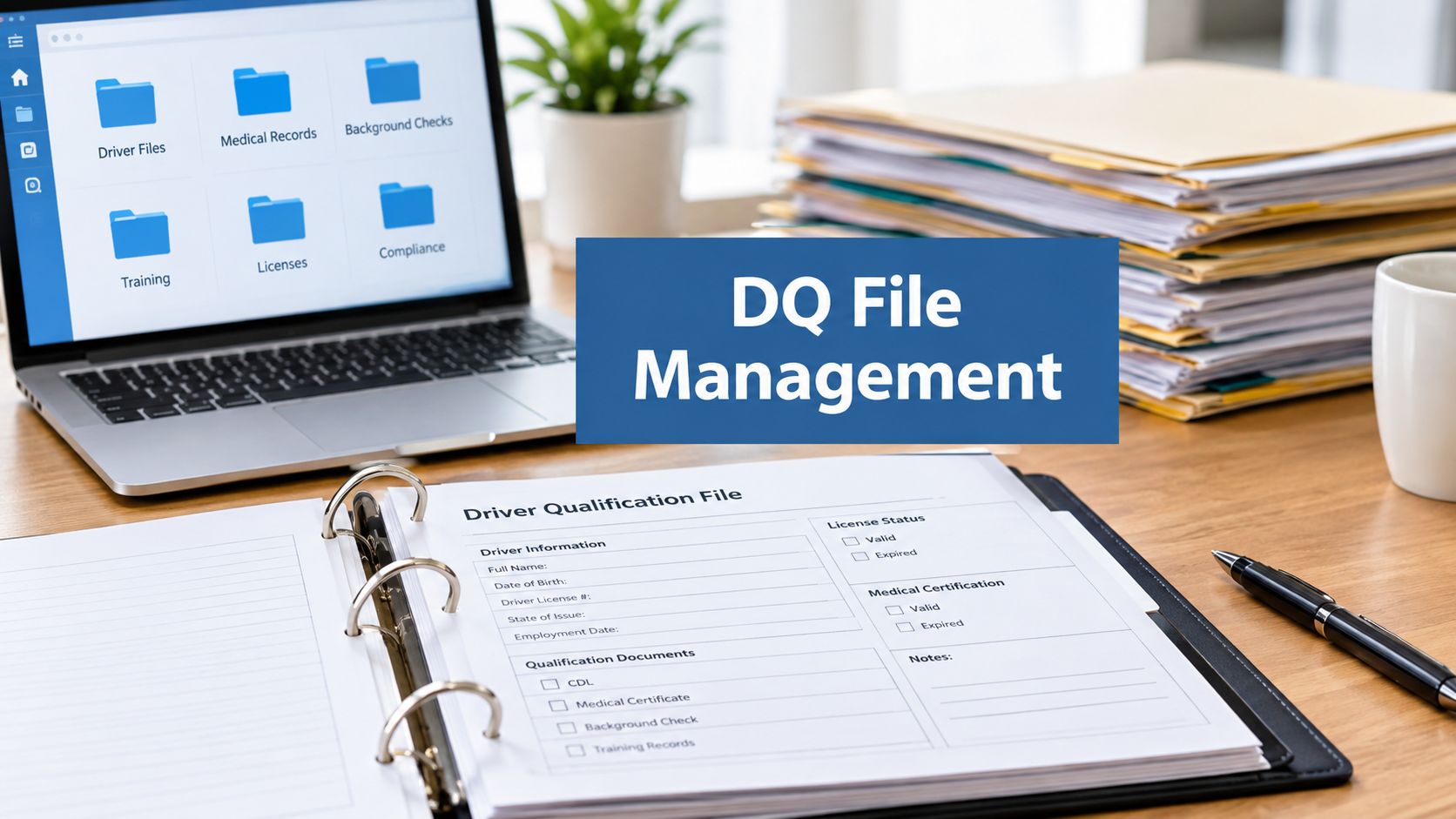
Driver qualification file management is the difference between answering an audit request with a clean record and scrambling through folders for a missing MVR. If you own a fleet or manage safety, you already know how easy it is for hiring paperwork to look complete while an annual review slips past unnoticed. The problem is that a DQ file isn't a one-time onboarding folder. It's a federally required record that follows each employee through employment and into a post-employment retention period, with recurring deadlines and sensitive information to protect. A reliable system gives you clear ownership, timely reminders, controlled access, and files you can retrieve and explain.
Table of Contents
- The Compliance Problem Hiding in Your File Cabinet
- Required Documents Under 49 CFR 391.51
- Retention Rules and Annual Deadlines You Cannot Miss
- Paper, Hybrid, and Digital File Workflows Compared
- Privacy, Permissions, and the Data Governance Layer
- CSA Scores, Insurance Premiums, and Audit Preparation
- How Continuous Monitoring Services Keep Your DQ Files Audit-Ready
- Frequently Asked Questions About Driver Qualification File Management
- How long must you keep a DQ file after employment ends?
- What happens if a DQ file is incomplete during an audit?
- Can you keep DQ files electronically?
- Who must be identified on the annual MVR review?
- How often do you renew safety-performance-history inquiries?
- Can you use a road test from a previous employer?
- Regulatory References
The Compliance Problem Hiding in Your File Cabinet
A new hire starts. Records requests go to previous employers, while paperwork lands in email, a binder, and a shared drive. Months later, an MVR deadline approaches, but the reminder went to someone who no longer handles compliance. When an audit request arrives, the file may look orderly while key records remain unverified.
Treat driver qualification file management as a recurring control throughout employment and after it ends. Under 49 CFR §391.51, carriers must maintain a separate qualification file for each employed driver, though it may be combined with the employee's personnel file. Keep the file during employment and for three years after the employee leaves. The FMCSA guidance also describes recurring duties such as annual MVR inquiries and reviews.
The operational risk is ownership. If no one is responsible for tracking deadlines, following up on outstanding records, and recording reviews, a file can fall out of date without anyone noticing. Assign responsibility and set reminders that remain active when staff roles change. Treat access controls and retrieval procedures as part of the same system, since qualification records contain sensitive employee information.
Practical rule: A file is audit-ready when you can confirm who supplied each record, when it arrived, who reviewed it, and where it is retained.
Use a driver-level tracking log to record document status, source, request and receipt dates, reviewer, and exceptions. A Wistec compliance documentation guide offers a general framework for organizing records. Adapt that framework to your motor carrier's duties. A well-organized folder alone does not establish FMCSA compliance.
Required Documents Under 49 CFR 391.51
A DQ file is an evidence set. It should show how you established a person's qualifications and how you keep the record current. Section 391.51 identifies records that must be included, including the employment application, motor-vehicle records, road-test evidence or an accepted equivalent, and the medical examiner's certificate. Your file also needs annual violation certification and evidence of required annual MVR inquiries and reviews.
Collect each item as part of a defined workflow:
- Employment application: Keep the application required by §391.21. It documents the information you considered when evaluating the person for the role.
- Motor-vehicle records: Keep the MVR obtained from each relevant licensing authority under §391.23. The record supports your review of licensing and driving history.
- Road-test evidence or accepted equivalent: Preserve proof that the road-test requirement was met, including an accepted equivalent where applicable.
- Medical examiner's certificate: Keep the required certificate as evidence of medical qualification.
- Annual violation certification: Collect the driver's annual certification of violations and maintain it with the qualification records.
- Annual MVR inquiry and review records: Keep both the record and the documentation showing that you reviewed it.
The details matter most when records arrive from different places. Your team may receive an application from the hiring process, an MVR from a licensing authority, and previous-employer safety information through a separate request workflow. Give each document a clear status and a consistent place in the driver's record, so a reviewer doesn't have to guess whether a requirement was completed.

You can combine the DQ file with the employee's personnel file, but keep the qualification records identifiable and retrievable as a distinct set. A current CDL on its own doesn't prove that you collected and reviewed every required record. For a plain-language explanation of what a motor-vehicle record check involves, see this guide to what an MVR check is.
Retention Rules and Annual Deadlines You Cannot Miss
A driver leaves the fleet, but the file clock keeps running. Keep each DQ file for the full period of employment and three years after the employee leaves, as required under §391.51. A fleet with 100 drivers is responsible for at least 100 active files, plus records for former employees still within that retention period. Set a retention schedule for both groups, and apply secure access and disposal rules when the retention period ends. See this guide to record retention requirements for broader recordkeeping considerations.
Track the onboarding clock separately
Place the initial MVR in the file within 30 days after employment begins. Track the request, receipt, and filing dates as separate steps. A completed hiring task does not prove that the MVR arrived or was filed, so keep unresolved records visible until someone closes the gap.
The safety-performance-history investigation for a new hire must cover the three years immediately before employment. Record which previous employers require inquiries, when each request was sent, and whether a response or exception is still outstanding. That gives your team a clear status for every inquiry, rather than treating a sent request as a completed investigation.
Make the annual review verifiable
At least once every 12 months, obtain an updated MVR from each relevant licensing authority and review it to determine whether the driver continues to meet safe-driving requirements and whether a disqualifying offense applies under §391.15. The file must contain the MVR and identify who performed the review and when it occurred, as 49 CFR §391.25 requires. Ordering the record does not complete the review.
Build the review into a recurring workflow. Keep the task open until the MVR is filed and the review is documented. Treat retention and annual review as linked controls: the record needs to remain retrievable, with access limited to people who need it for their work.

Paper, Hybrid, and Digital File Workflows Compared
The right filing method is the one your team can operate consistently while protecting sensitive records. A paper binder, a shared drive, and a controlled digital system each create different pressures when you need to answer an audit request, chase a missing document, or transfer a former employee's file into retention.
| Model | Retrieval Speed | Audit Trail | Access Control | Best Fit |
|---|---|---|---|---|
| Paper binders | Depends on filing and staff availability | Manual; depends on dated notes and consistent handling | Physical access controls only | Teams with established paper procedures and secure storage |
| Hybrid scans and shared folders | Quick when folders are well organized | Often limited unless changes are documented separately | May be broad or inconsistent | Teams moving away from paper that can enforce careful folder permissions |
| Controlled digital records | Fast when files are indexed and searchable | Can preserve user identity, timestamps, and version history | Can be assigned by role | Teams needing repeatable access, review, and retention workflows |
Paper gives you a tangible record, but retrieval depends on someone knowing where the binder is and whether it's up to date. A scanned folder can make a document easier to find, yet a general shared drive may not show who changed a file or why. A controlled digital workflow can pair searchable records with permissions and an audit trail, but only if you configure and use those controls.
For a roadside request, speed matters: your staff should know which records to locate and who can provide them. For a new hire, the system should make missing items visible rather than burying a request in an inbox. When employment ends, you need to preserve the file and its retention status without leaving sensitive records open to unnecessary access.
Choose based on your driver count, turnover, existing record practices, and how your team handles audit requests. Don't digitize first and define ownership later. If you're assessing dashboard capabilities for compliance work, review how compliance dashboard software may fit into your existing process.
Privacy, Permissions, and the Data Governance Layer
DQ-file management is a record-classification and privacy problem, not just a checklist exercise. A file can bring together routine hiring documents and sensitive safety-performance-history information. Your hiring staff may need a qualification outcome, while a designated compliance reviewer may need access to underlying records. Giving every staff member access to every document is convenient until you need to explain why that access was necessary.
Set a governance model before digitizing. Define which roles may view, add, correct, or export each class of record. Establish retention clocks by document type, keep an audit trail of access and changes, and create a documented process for handling inaccurate information. The point isn't to make routine work difficult. It's to ensure that people can do their jobs without exposing records they don't need.
A useful control set includes:
- Role-based permissions: Give staff access according to their job responsibilities, not convenience.
- Record-level retention: Track what must remain in the DQ file and how long it must be kept.
- Traceable changes: Preserve version history, timestamps, and user identity when records are edited or replaced.
- Document integrity: Make unauthorized changes detectable and keep the original record available for review.
- Correction workflow: Record what was disputed, what was checked, and how the file was corrected or annotated.
Digitizing a binder without governing access and changes can make your records easier to reach and harder to defend.
This risk often shows up in small fleets that rely on shared inboxes, paper binders, or general cloud drives. Those setups can work only when someone consistently manages permissions, versions, and retention. “Paperless” isn't a compliance control by itself. A reliable system makes it clear who handled a record and what happened to it after it entered the file.

CSA Scores, Insurance Premiums, and Audit Preparation
Your file practices can matter beyond the file cabinet. During a compliance review, an investigator may request DQ records to check whether you maintained required documents and completed recurring reviews. Insurers may also ask how you manage driver qualification and safety oversight. Keep your explanation factual: a complete file demonstrates documented process, but don't promise a particular CSA outcome or insurance result based solely on paperwork.
A reviewer may ask whether you have the application, the road-test evidence or accepted equivalent, and the required safety-performance-history investigation. For the annual MVR review, the record should show both the MVR and who reviewed it and when. A file with the MVR but no reviewer-and-date note leaves an obvious question about whether the required review was completed.

Use a pre-audit check that tests how your process works, not just whether a folder exists:
- Confirm completeness: Check each required document against your DQ checklist.
- Verify the annual review: Make sure the MVR is filed and the reviewer and review date are recorded.
- Check onboarding evidence: Confirm the initial MVR and safety-history inquiry records are present.
- Review retention status: Identify active files and former-employee files still within their retention period.
- Test retrieval: Ask a staff member who didn't assemble the file to locate and explain its records.
If your broader safety process includes CSA oversight, review the CSA requirements for motor carriers. Then keep the audit response grounded in documents you can produce, dates you can verify, and actions your team took.
How Continuous Monitoring Services Keep Your DQ Files Audit-Ready
Recurring deadlines are where a sound filing process often breaks down. Staff change roles, new-hire records arrive in pieces, and annual reviews compete with daily operations. A continuous monitoring service can help manage document follow-up and renewal alerts, but it doesn't remove your responsibility for hiring decisions, qualification determinations, or corrective action.
Keep decision-making in-house. Delegate repeatable tracking where it makes sense: identifying missing records, following up on document requests, flagging upcoming annual reviews, and maintaining former-employee files within their retention period. Your process should still require a responsible reviewer to assess the MVR and record their identity and review date.
The service model only helps if it maps to your actual obligations. Ask how it tracks the onboarding MVR deadline, documents previous-employer safety-history inquiries, captures annual review completion, and prevents a former employee's records from being discarded early. A third-party DOT compliance provider can support recurring administrative work while your team retains oversight of compliance decisions.
When evaluating outside help, ask for a clear division of responsibilities. Who follows up on missing documents? Who reviews records? Who owns access permissions and corrections? A general discussion of how operational programs are described can be found in these geofencing fleet management success stories, but choose a DQ process based on the records and controls your fleet needs.
My Safety Manager offers driver qualification file management as part of its DOT compliance services. If you need support with recurring tracking, compare the service's responsibilities with your own workflow, especially around review documentation, privacy, and retention.
Frequently Asked Questions About Driver Qualification File Management
How long must you keep a DQ file after employment ends?
Retain the file throughout employment and three years after the driver leaves, as required under 49 CFR §391.51. Set the destruction date when the employee exits, then restrict access while the record remains in retention.
What happens if a DQ file is incomplete during an audit?
An incomplete file can lead to a failed safety audit finding or a CSA documentation gap. Reconstruct the file from available records, document the review date, and note any exception. Do not present missing evidence as completed.
Can you keep DQ files electronically?
Yes. Under 49 CFR §391.51, electronic files are acceptable if required records remain organized and available for inspection. Limit access to authorized staff and keep a clear record of changes.
Who must be identified on the annual MVR review?
Record the reviewer's identity and the date of the review, as required under 49 CFR §391.25. A completed MVR without that review record leaves an accountability gap.
How often do you renew safety-performance-history inquiries?
Complete the required investigation during onboarding, covering the three years before the driver joins your carrier. Track requests and responses in the hiring workflow, and retain the resulting records in the driver's file.
Can you use a road test from a previous employer?
Yes, if the prior road-test record or accepted equivalent meets the applicable regulatory requirements. Verify that the evidence qualifies, retain it in the file, and make it available for inspection. A vague reference to a prior test is not enough.
Regulatory References
- 49 CFR §391.51, Driver qualification files
- 49 CFR §391.21, Application for employment
- 49 CFR §391.23, Investigation and inquiries
- 49 CFR §391.25, Annual inquiry and review of driving record
My Safety Manager provides DOT compliance support that includes driver qualification file management and ongoing document tracking. Visit My Safety Manager to see whether its services fit your fleet's audit-readiness and recordkeeping needs.
